Peer to peer · open source
Two devs. Two agents. One session.
collab turns single-player AI coding into multiplayer. Pair on Claude Code, Codex, or Cursor across machines. Each developer keeps their own agent, their own keys, their own quota.
- No central server
- No shared accounts
- Bring your own agent
01 / The problem
AI coding agents
are single-player.
Real engineering is rarely solo work. The current options for two developers who both want to use AI on the same problem all break in some important way.
-
Screen-share is passive.
One person drives, the other watches. Only one agent is doing real work.
-
Shared accounts break ToS.
Splitting a Claude Code seat or sharing API keys mangles billing and leaks credentials.
-
Async git loses live reasoning.
By the time the diff lands in a PR, the chain of thought that produced it is gone.
02 / The solution
Two channels
cross the wire.
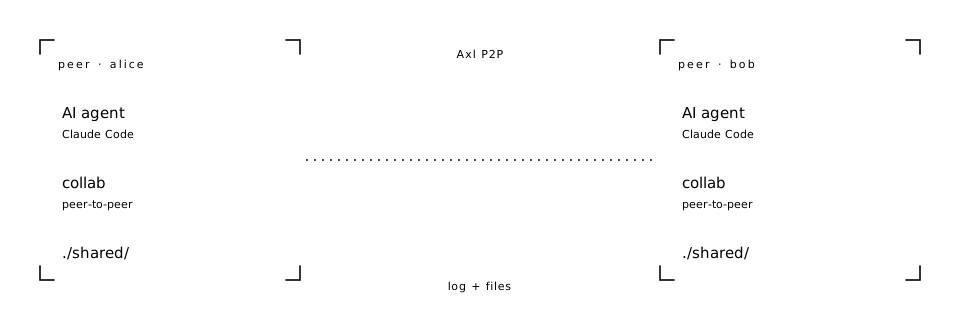
Every developer keeps their own agent and their own API key.
collab connects the two agents peer-to-peer
and syncs exactly two things between them: a shared
conversation log and the contents of ./shared/.
Everything else stays local.
03 / What you'll use it for
Six ways
two agents beat one.
-
Cross-machine pair debugging
Senior + junior on different laptops. Each agent explores a different part of the codebase; findings post to the shared log.
-
Live code review
Reviewer's agent posts comments via
ask_peer. Author's agent replies throughrespond_to_peer. -
Async handoff across timezones
Day shift posts context. Night shift joins, and their agent inherits the full backlog automatically.
-
Mixed-agent coordination
One on Claude, one on Codex, one on Cursor. The protocol is agent-agnostic, the wire is the same.
-
Incident response
Three on-call engineers, three agents, three hypotheses explored in parallel. First to find root cause posts.
-
Mentorship
Instructor's agent does real work; student's agent handles basics; student watches reasoning unfold via the log.
04 / Install
One curl.
You're online.
The Gensyn Axl daemon auto-builds into ~/.collab/bin/
on first session. No second binary to chase.
$ curl -sSL https://raw.githubusercontent.com/Aman035/collab-ai/main/install.sh | sh$ go install github.com/Aman035/collab-ai/cmd/collab@latestThen
# host a session
$ collab create alice

# join from another machine
$ collab join COLLAB-… bob

# across two servers (port 9001 reachable)
$ collab create alice --public-addr tls://server1.example.com:9001